Open source · MIT License

Visual programming
built on Python.

Moldo lets learners aged 8 to 19 build real programs by connecting flowchart blocks. Every block compiles to valid Python. No syntactic barrier. No dead ends.

Alpha · v0.5.0 · pip install moldo
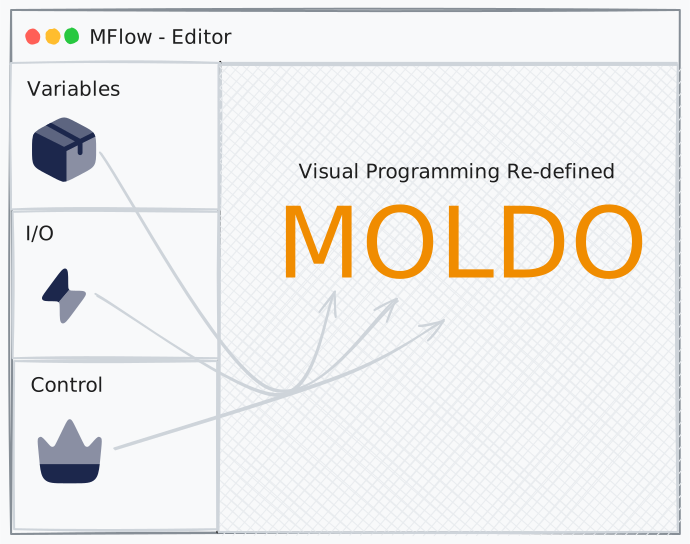
Visual

Everything a learner needs.
Everything a developer wants.

Visual, not simplified

Every block corresponds precisely to a Python construct. Learners acquire real programming knowledge through the visual interface.

Real Python output

The visual program compiles to executable Python via a JSON program tree. No custom runtime, no lock-in, just Python.

Extensible via Molds

Ship new block types as .zip.mold packages. Install with one click. No editor restart. No source modification.

Instant feedback

Nodes highlight in execution order as your program runs. Errors pinpoint the failing block. No guessing.

7 built-in molds

Variables, I/O, Control, Math, Text, Collections, Functions. 31 block types out of the box covering all core programming concepts.

Local-first and cross-platform

All programs live on your machine. Runs on Windows, macOS, and Linux. No account, no cloud, no subscription.

From blocks to Python in three steps.

01

Build visually

Drag blocks from the sidebar onto the canvas. Connect them with edges. Configure each block's parameters in the auto-generated settings panel.

02

Compile to JSON

The editor compiles your canvas to a JSON program tree, a structured representation of your program that the backend can walk and translate to Python.

{
  "mold": "variables",
  "block": "declare",
  "params": {
    "name": "score",
    "dataType": "int",
    "value": "0"
  },
  "next": { ... }
}
03

Execute as Python

The Moldo backend transpiles the JSON tree to Python source, runs it, and streams stdout and a node-highlight sequence back to the editor.

score = int(0)
for i in range(1, 11, 1):
    score = score + i
print(score)
# Output: 55

Extend Moldo with your own blocks.

A mold is a .zip.mold file containing a JSON manifest and a Python package. Define your blocks in JSON, implement them in Python, and publish as a GitHub Release. Users install with one click, no restart required.

{
  "name": "webscraper",
  "displayName": "Web Scraper",
  "version": "1.0.0",
  "author": "Your Name",
  "description": "Fetch and extract content from web pages.",
  "moldoMinVersion": "0.5.0",
  "isCore": false,
  "blocks": [
    {
      "id": "fetch",
      "name": "Fetch Page",
      "nodeType": "process",
      "nodeShape": "rect",
      "color": "amber",
      "icon": "globe",
      "pythonCall": "webscraper.fetch_page",
      "inputs": [
        {
          "id": "url",
          "label": "URL",
          "type": "text",
          "placeholder": "https://example.com"
        }
      ],
      "outputs": [
        { "id": "result", "label": "Save result to", "type": "variable" }
      ]
    }
  ]
}

The manifest defines your block's appearance, inputs, and which Python function to call. The editor auto-generates the settings UI from inputs[]. No UI code needed.

Build for your domain.

A biology teacher can add cell-simulation blocks. A geography teacher can add climate-data blocks. Any Python developer can extend Moldo for any domain without touching the core system.

Up and running in 30 seconds.

1

Install the backend

pip install moldo
moldo serve

The runtime starts at http://127.0.0.1:8000.

2

Launch the editor

Green dot in the toolbar = backend connected.

3

Start building

Drag a Declare Variable block onto the canvas. Add a Print block. Connect them. Hit Run.

That's Hello World in Moldo.

Grace Peter Mutiibwa

Grace Peter Mutiibwa

Software Engineering Student · Founder Clearnique

Moldo is an attempt to lower the barrier to programming education for learners by bridging block-based and text-based programming.